


Getting the Most from the Kia Connect App
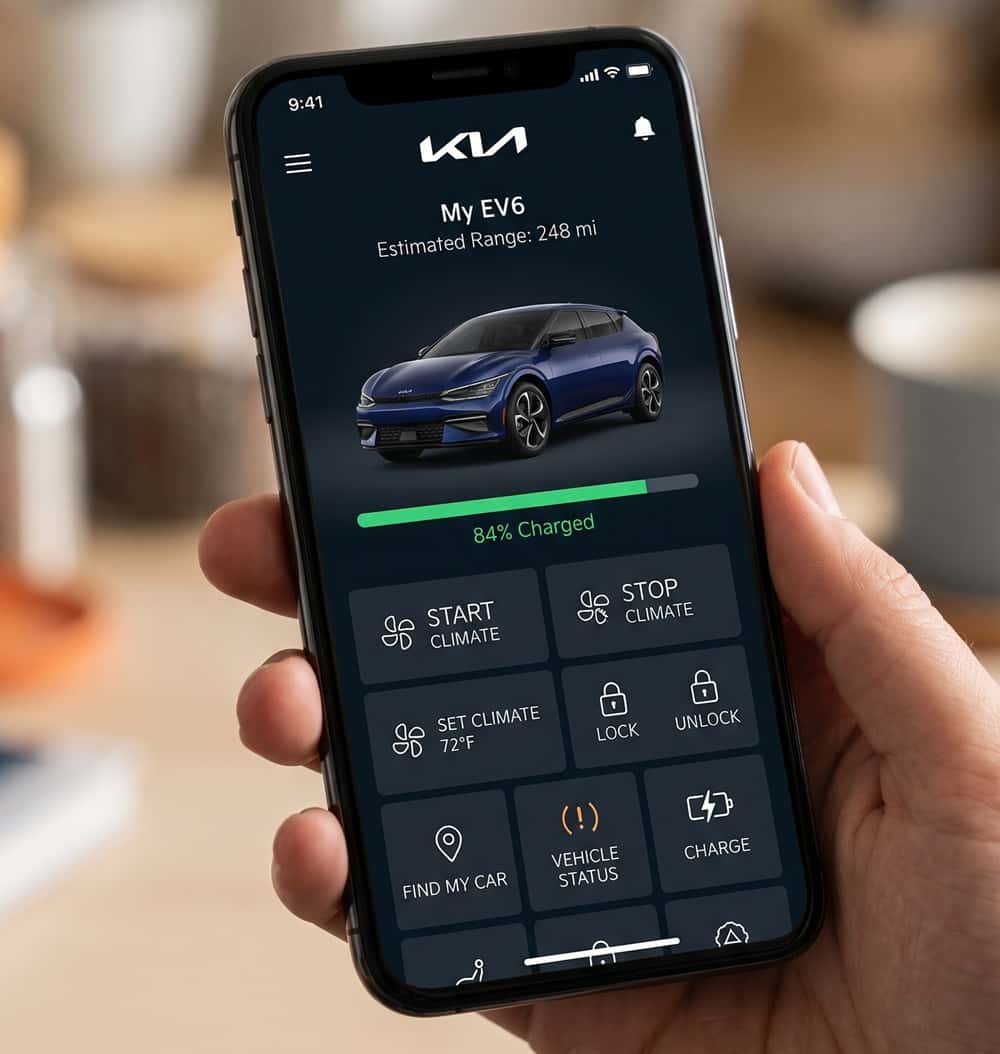
Your Kia can do a lot more from your phone than you might realize. The Kia Connect app turns your smartphone into a remote for your vehicle, from starting the engine on a cold morning to checking your fuel level from the couch. Here is what the app does, how to set it up, and whether it costs anything.
What is the Kia Connect app?
Kia Connect, which some owners still know by its former name UVO, is Kia’s connected-car system and companion smartphone app. It links your phone to your vehicle over a cellular connection so you can control and check on your Kia from almost anywhere. If you have a newer Kia, there is a good chance it is Kia Connect capable.
What does Kia Connect do?
The app puts a surprising amount of control in your pocket:
Remote start and climate
Start the engine and set the cabin temperature before you walk out the door, so your Kia is warm in winter or cool in summer when you get in.
Remote lock and unlock
Locked the doors but not sure? Lock or unlock your Kia from your phone, and get an alert if you left it unlocked.
Vehicle status and diagnostics
Check your fuel or charge level, tire pressure, mileage, and door status at a glance, and get maintenance and service reminders.
Find my car and send to car
Locate where you parked, and send a destination from your phone straight to your Kia’s navigation before you drive.
Safety features
Many Kia Connect plans include SOS emergency assistance, automatic collision notification, and stolen vehicle recovery help for extra peace of mind.
How do you set up Kia Connect?
Setting it up is simple. Download the Kia Connect app from the Apple App Store or Google Play, create or sign in to your Kia Owners account, and add your vehicle by its VIN. You will complete a quick verification to confirm you are the owner, and then you can enable the features you want. If you get stuck, our team at ALM Kia South is glad to help you get it activated in the showroom.
Is Kia Connect free?
New Kia vehicles typically come with a complimentary trial of Kia Connect, and after the trial it moves to a paid subscription with different plan levels depending on the features you want. Pricing and trial length can change, so ask us for the current details on your specific model, and we will walk you through what is included.
Get the most from your Kia at ALM Kia South
Whether you are setting up Kia Connect for the first time or shopping for a Kia that has it, we can help. Browse our new Kia inventory, contact our team with questions, or stop by our Union City showroom and we will help you get connected.
Frequently Asked Questions
What is the Kia Connect app?
Kia Connect, formerly known as UVO, is Kia’s connected-car system and companion smartphone app. It links your phone to your vehicle over a cellular connection so you can control and check on your Kia remotely. Most newer Kia models are Kia Connect capable.
What does Kia Connect do?
Kia Connect lets you remote start and set the climate, lock and unlock the doors, check fuel or charge level, tire pressure, and mileage, find where you parked, send a destination to your navigation, and get maintenance reminders. Many plans also include SOS emergency assistance and stolen vehicle recovery.
How do you set up Kia Connect?
Download the Kia Connect app from the Apple App Store or Google Play, create or sign in to your Kia Owners account, and add your vehicle by its VIN. You complete a quick ownership verification, then enable the features you want. Our team at ALM Kia South can help you activate it.
Is Kia Connect free?
New Kia vehicles usually come with a complimentary trial of Kia Connect. After the trial, it continues as a paid subscription with different plan levels based on the features you want. Trial length and pricing can change, so ask us for the current details on your model.
How do you cancel Kia Connect?
You can manage or cancel your Kia Connect subscription through your Kia Owners account online or in the app under your subscription settings. If you need a hand, our team can point you to the right place.
0 comment(s) so far on Getting the Most from the Kia Connect App